Live chat
Chat with a real employee, and we’ll walk you through everything.


Samsung
Add a travel SIM to your phone in 90 seconds, connect to fast internet as soon as you arrive, and use it on every trip.

After you’ve bought a data plan, go to ‘My eSIMs’ to add this eSIM to your Samsung.
Begin installation

You need a strong Wi-Fi connection

Make sure your device is eSIM compatible
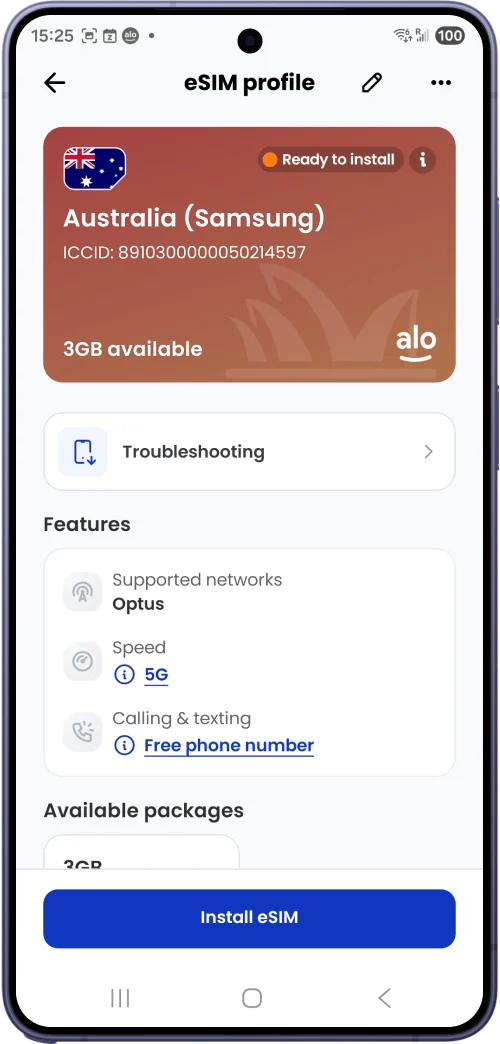
Log into aloSIM app
Go to My eSIMs
Select your eSIM
Tap Install eSIM
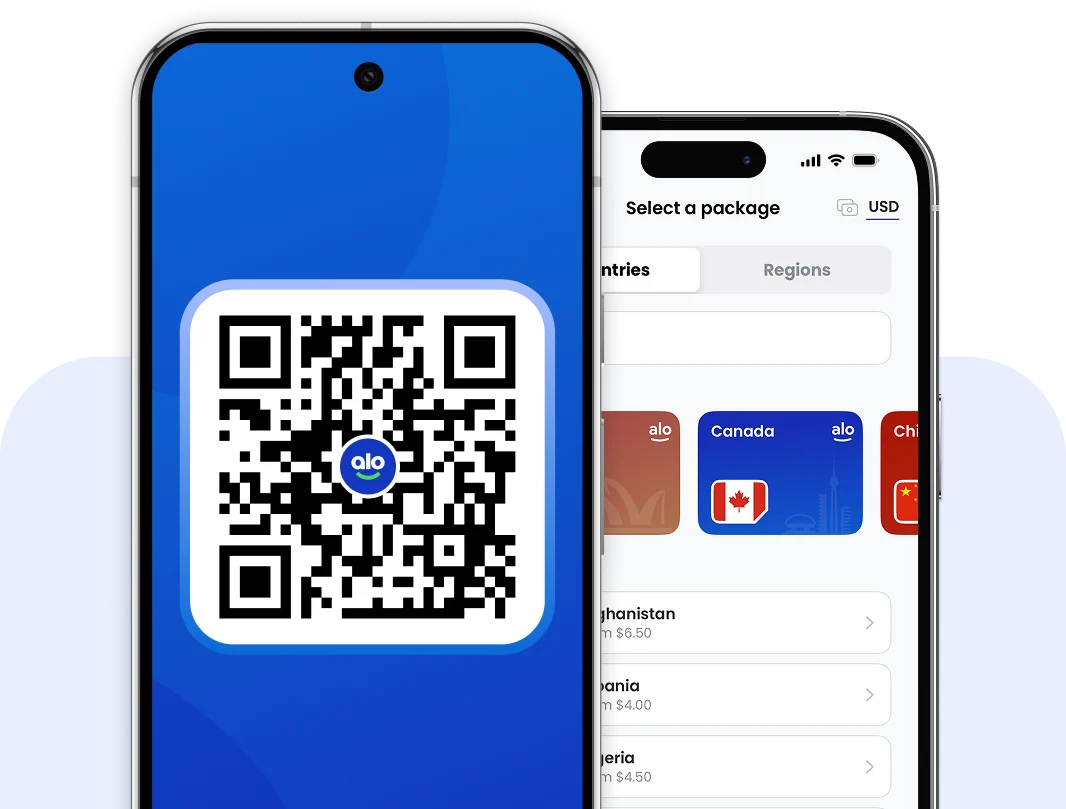
Other ways to install: QR Code installation or manual installation.
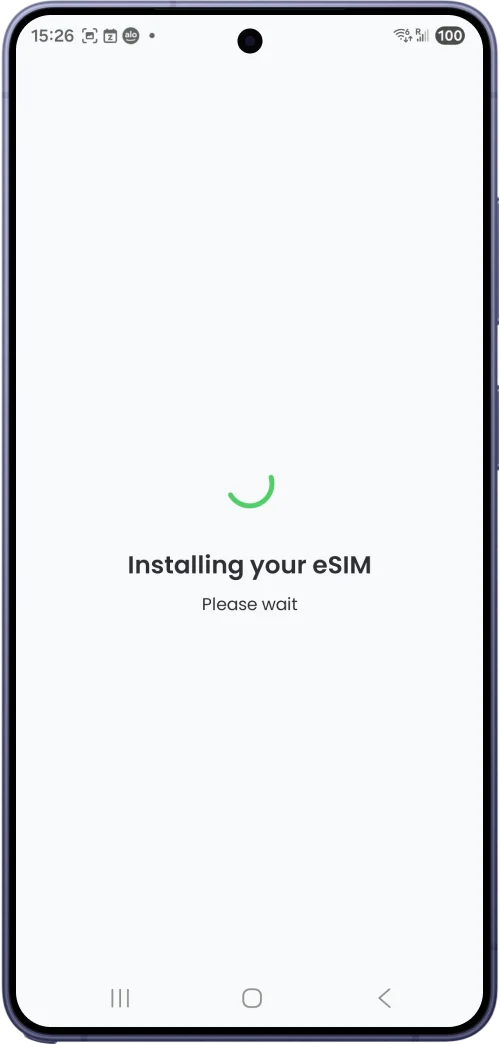
We’ll add your eSIM to your phone, and bring you back into the aloSIM app once the installation is complete.
Optional: Label your travel eSIM so you can easily identify it later – for example “USA trip” or “South Africa (Mom’s iPhone)”
Go to ‘Settings’ then ‘Connections’
Under ‘SIM Manager,’ toggle on your aloSIM eSIM.
Scroll down to ‘Primary SIM,’ where you should select your aloSIM eSIM for mobile data.
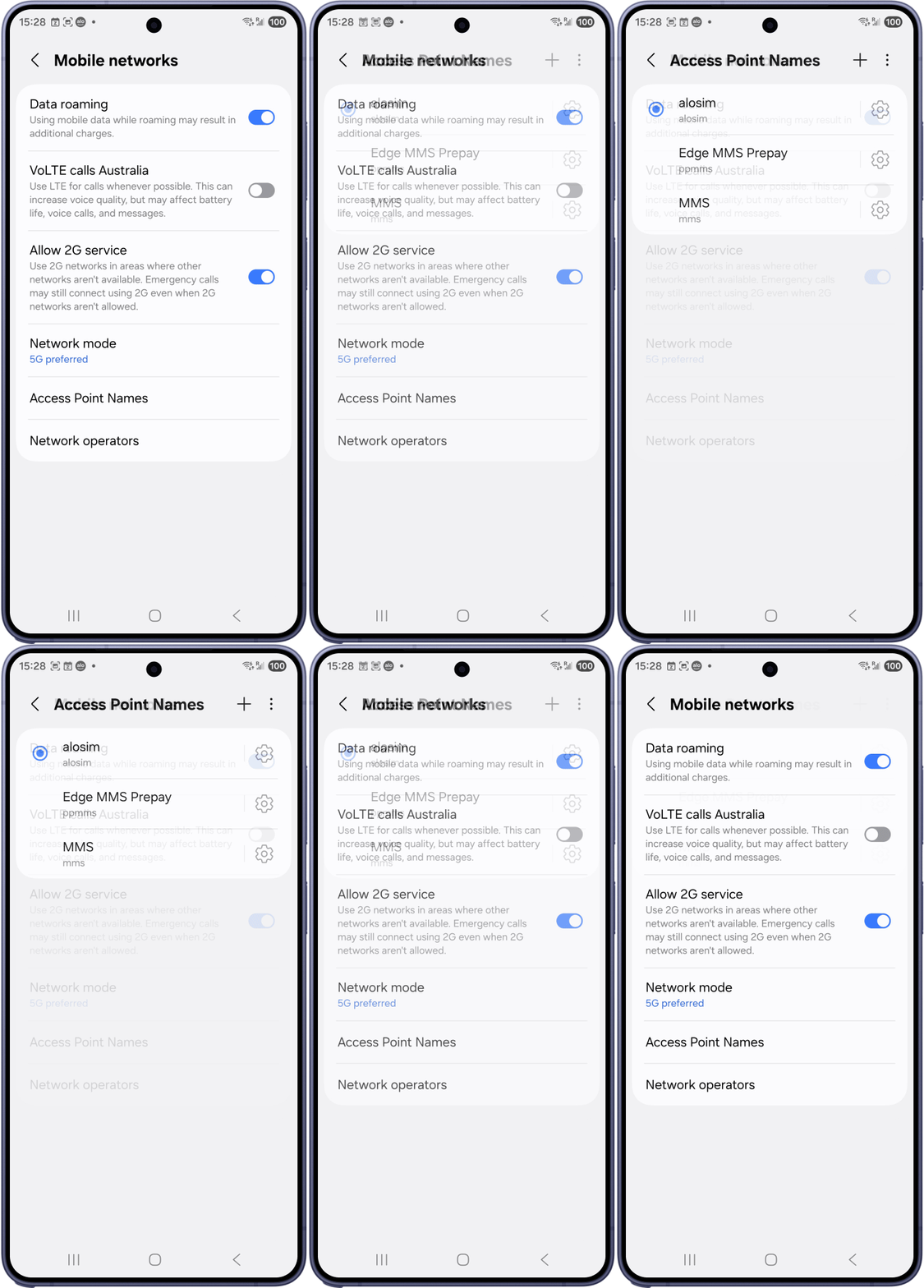
Go back to ‘Connections’ and select ‘Mobile networks.’ Make sure ‘Data roaming’ is toggled on.
Scroll down to ‘Access Point Names’ and make sure the selected one has ‘alosim’ in the Name and APN fields.
Travelling today? Your eSIM should connect when you arrive. Leaving another day? Wait to do these steps until you’re travelling.
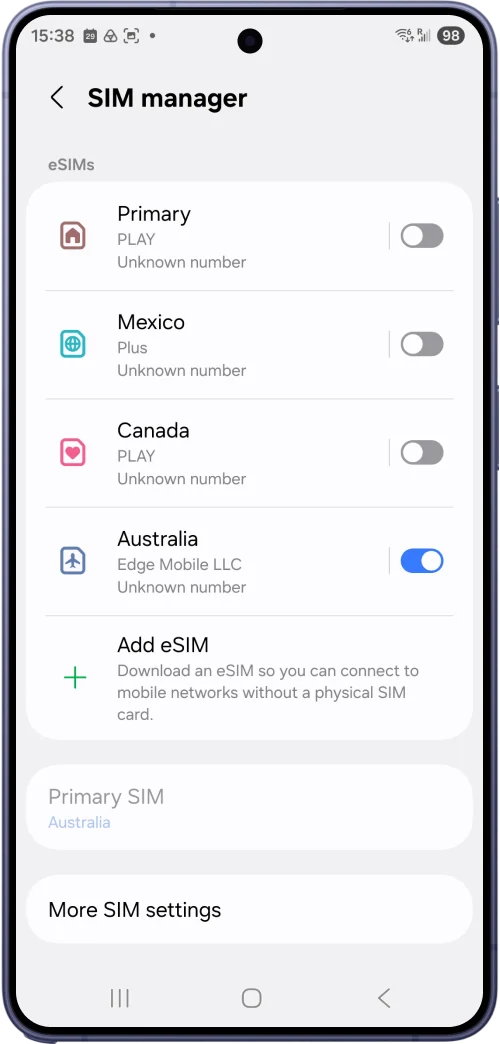
Your regular phone carrier may try to charge you roaming fees for data (internet), phone calls, and texts while you’re in another country.
Before you go, pick one of the following options:
Leave your primary SIM toggled on, and your regular phone number will work normally when you’re travelling. Your carrier may charge you roaming fees for calls and texts.
Toggle off your primary SIM completely. No data, calls, or texts. There won’t be any surprise charges on your next carrier bill.
On your Samsung, go to ‘Settings’ then ‘Connections’ and ‘SIM Manager’ to view your SIMs.
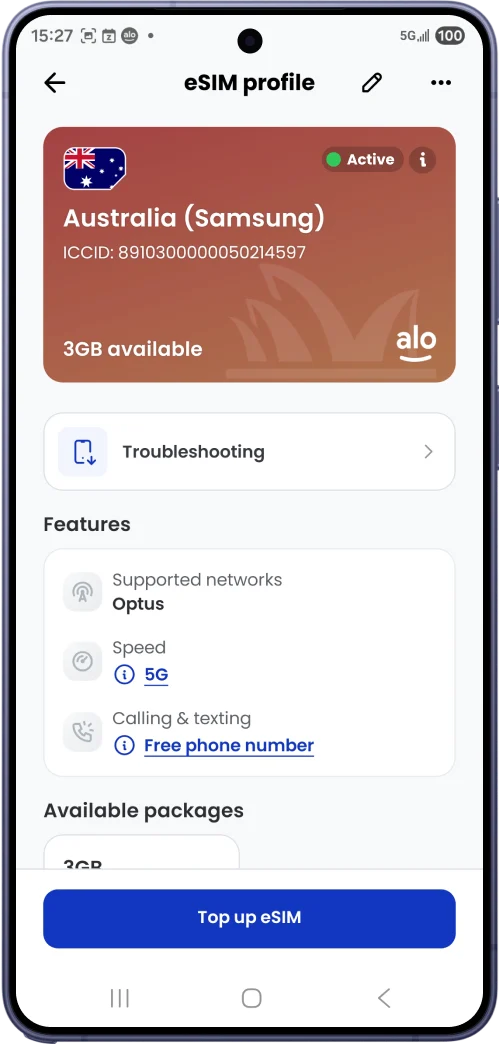
Once you land, toggle off ‘Airplane Mode’
Wait 1–2 minutes for it to connect
Check My eSIMs in the aloSIM app – your eSIM should show ‘Active’
You’re connected – enjoy fast local data for your trip
Need more data? Go to My eSIMs, select your eSIM, and tap Top up to add another data package.

We’ll give you a free international number for calling and texting anywhere in the world while you’re away.

Let’s answer your questions about using an eSIM for your upcoming trip.

We recommend installing your eSIM a few days before you leave for your trip, when you’re at home with a strong Wi-Fi connection. Your data package won’t start working until you arrive at your destination.

Before you leave home
If your plan is for an upcoming trip, install it while you’re still home so you can have internet the moment you arrive.

Already travelling
You can also install after you arrive, and start using your data right away. Just make sure you have Wi-Fi to install it.

Yes! If your phone has dual SIM capabilities, you can use your regular SIM and your aloSIM eSIM at the same time.

Keep your number for calls and texts
You can keep your regular number active for calls and texts, while using your aloSIM eSIM for mobile data (internet).

Check your carrier’s roaming rates
Ask your regular phone carrier if they charge for calls and texts that happen in another country, so you avoid a surprise bill.

Our team is available 24 hours a day
Connect to Wi-Fi and open your aloSIM app. Tap ‘My eSIMs,’ then select the eSIM you wish to install on your Samsung Galaxy. Tap ‘Install eSIM’ and it will automatically add this eSIM to your phone in under 60 seconds.
Most recent Samsung phones support eSIM. That includes the Galaxy S20 and newer, every Galaxy Z Fold and Z Flip, and some A-series models. Your phone must also be carrier-unlocked. To check, on your Samsung, tap ‘Settings’ then ‘Connections,’ then ‘SIM manager.’ If you see ‘Add eSIM,’ your phone is ready.
Right before your trip, on your Samsung, tap ‘Settings’ then ‘Connections,’ then ‘SIM manager.’ Make sure your aloSIM eSIM is switched on. Under ‘Preferred SIM,’ set ‘Mobile data’ to aloSIM. When you land, turn off Airplane Mode, and your eSIM will connect on its own.
Usually it’s one of two things: your phone model doesn’t support eSIM, or your phone is locked to your carrier.
Some Samsung phones sold by carriers hide eSIM options until the phone is unlocked. Ask your carrier to unlock your phone, then check ‘SIM manager’ again.
If you’ve already purchased an eSIM but can’t get your phone unlocked, please contact us so we can issue a full refund.
Yes. On your Samsung, tap ‘Settings’ then ‘Connections,’ then ‘Mobile networks,’ and turn on ‘Data roaming.’ Because ‘Mobile data’ is set to your aloSIM eSIM, you’ll use your prepaid aloSIM data … not expensive roaming data from your regular carrier.
On your Samsung, tap ‘Settings’ then ‘Connections,’ then ‘SIM manager.’ Under ‘Preferred SIM,’ set ‘Mobile data’ to aloSIM. To keep your regular number, leave ‘Calls’ and ‘Messages’ set to your regular SIM.
Yes. Samsung phones with eSIM can run your regular SIM and your aloSIM eSIM at the same time. Use aloSIM for data and keep your usual number for calls and texts. To choose which SIM does what, on your Samsung, tap ‘Settings’ then ‘Connections,’ then ‘SIM manager.’
Our friendly team is available to help 24 hours a day.


Chat with a real employee, and we’ll walk you through everything.


Send us the details, and we’ll get back to you in minutes.


If you have questions, we’ve got all the answers available to browse.
Choose your phone or tablet, and we’ll walk you through how to install your travel eSIM.

Installation guide for iOS and iPad devices.

Installation guide for Google Pixel devices.

Installation guide for Samsung devices.



4.6 average rating (28,531+ reviews