

Ever asked yourself, ‘Is hotel wifi safe?’ The short answer: from a security standpoint, no — hotel wifi is not safe.
While hotel Wi-Fi is convenient, it does come with risks that can expose your data to hackers, or scammers (or even just prying eyes). These days, many hotels don’t use secure, password protected networks.
Although some hotels do, these networks are still shared by hundreds (or thousands) of guests, making them far less secure than your own private connection.
Here’s a look at the primary hazards travellers can face when connecting to hotel Wi-Fi and how to stay safer on the road.
Common risks of using hotel wifi
1. Man-in-the-middle attacks
When using an unsecured or poorly protected network, hackers can intercept your traffic. This allows them to capture all your activity, including everything from browsing activity to sensitive logins. This is one of the most common risks with hotel Wi-Fi.
2. Fake hotspots
Have you ever heard of an evil twin? Sometimes Cybercriminals will set up networks with names similar to the hotel’s (like “Hotel_WiFi_Free”). If you connect to this evil twin accidentally, they can monitor your activity or even inject malware onto your device.
3. Unencrypted connections
When asking “is hotel Wi-Fi safe?” and you see that the network has a password, your traffic will not necessarily be encrypted. Beware of websites you visit that don’t use HTTPS because your data could still be vulnerable.
4. Device targeting
Public networks often allow devices to “see” each other, meaning your device is findable by other users on the network. In the unfortunate circumstance that another guest has malicious intent, they could try to access your laptop or phone while you’re connected.
Best practices for using hotel wifi
Disable auto-connect: If you turn off automatic Wi-Fi connections, you avoid the risk of automatically and unknowingly joining insecure networks. Take a look at the networks available and then select the ones that will best protect you.
Use strong passwords: Sorry but “Password123” isn’t going to cut it these days. Instead, protect your devices with PINs or biometrics (like a thumb print or face recognition) in case someone tries to access them through the network.
Stick to HTTPS websites: Check the url of the website you’re using. Look for “HTTPS” or the padlock icon in your browser before entering sensitive information.
Avoid banking or sensitive logins: If you can wait while you’re travelling, save financial transactions or private work for when you can guarantee a more secure connection.
Use a VPN: A Virtual Private Network that encrypts your data will make it more difficult for hackers to intercept.
Safer alternatives to hotel wifi
Instead of risking your information to get connected via hotel Wi-Fi, here are a few better options to consider:
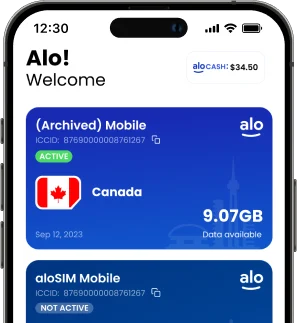
eSIMs: Use an eSIM from aloSIM to instantly download a local or regional data plan to your phone. This is the best way for reliably private, secure internet without needing a physical SIM card.
Hotspot: Use your data from your carrier or from your eSIM to create yourself a personal hotspot and connect your laptop or tablet securely.
Portable routers: Sometimes travellers will carry a pocket-sized router with their own SIM or eSIM that creates a private Wi-Fi bubble for use on the go.
Ultimately, if you have no other choice than to use hotel Wi-Fi, practice safe browsing habits and use a VPN. Remember that using any public, unsecured network puts your personal information at risk.
If possible, skip shared networks altogether and use an alternative to public or hotel Wi-Fi, such as travelling with an eSIM for fast, secure data.