

Travel should be a release. It should be a freeing experience as you escape the mundane, everyday routine.
Visiting new places, seeing the sights, and tasting different foods should be front-of-mind; not passwords and locked bank accounts and emergency phone calls to your phone carrier.
The good news is that you can leave the paranoia at home when you head abroad. Instead, with just a practical system, or a “mobile security stack,” you can stay safe and rest easy.
Consider secure accounts, a hardened device, and smarter network habits the trifecta. Working together, these three layers can dramatically reduce risk. Here’s how.
What actually goes wrong on trips
Contrary to what you might expect, most travel-related security issues are simply ordinary mistakes that might be amplified by an unfamiliar environment.
Trouble might appear as:
- Phishing messages mimicking your bank, hotel, or airline
- Fake Wi-Fi networks that appear where you are (think: café name)
- Lost or stolen devices with weak lock screen codes
- Oversharing in public or on social media
The logistics of travel can be overwhelming. If you’re rushing to catch a connecting flight, or jet lagged, or distracted by other plans, it’s possible you might click the wrong link or join the wrong network.
The solution? A simple and repeatable mobile security stack system.
Mobile security stack checklist
1. Accounts
- Use a password panager to help you remember complex passwords
- Ensure that all your important accounts have unique (different) passwords
- Enable two-factor authentication whenever possible (preferably app-based)
- Store you recovery codes offline someplace secure
Consider your email the master key to your online safety. Lock it down as a priority.
2. Device
- Make sure your OS and apps are up-to-date before you depart
- Enable a biometric lock on your device
- Enable Find my iPhone/Find my Device
- Toggle on “remote wipe” function
- Back up your devices before leaving
Remember: it’s about options if the worst happens.
3. Network
- Use a VPN
- Disable auto-join Wi-Fi
- Deliberately “forget” former public networks
- Use your own mobile data whenever possible
Even when free Wi-Fi feels convenient, it’s likely not worth the risk of exposure.
4. Payments
- Use transaction alert apps for your credit cards
- Lower daily spending limits while abroad
- If possible , use virtual card numbers
It’s best to know immediately if there’s any unusual activity.
5. Communications
- Keep you primary SIM active to login if needed
- Use an aloSIM eSIM for mobile data
- Never rely solely on your hotel Wi-Fi for sensitive activity.
If you need account recovery, keeping your communications and data separate can reduce friction.
VPN basics for travellers
When you’re connected to a network that you’re unsure about, a VPN will encrypt your internet traffic. This can be helpful if you’re in public spaces like hotels, airports, restaurants, or train stations.
This added layer of security is important if you’re accessing professional documents, logging into banking apps, or entering your passwords at any point.
That being said, a VPN will not protect you against phishing links, inadequate passwords, or malware. It also cannot help you recover your accounts via stolen email access. It protects traffic but cannot fix human error.
Hotspot security: The traveller’s cheat code
Fact: a personal hotspot is safer than shared Wi-Fi.
This is because when you use your own mobile data you control the connection and avoid fake Wi-Fi networks thereby reducing any exposure via shared networks.
Even better, with prepaid travel data from aloSIM, there’s no need to spend time seeking free Wi-Fi. Just connect your laptop directly to your phone’s data.
With prepaid travel data, you don’t need to chase free Wi-Fi. You can connect your laptop or tablet directly through your phone.
Hotspot best practices
- Us a strong password
- Name your hotspot something unidentifiable by strangers (not your name or personal details)
- Limit connected devices to yourself and trusted individuals
- Always turn it off when it’s not in use.
Avoid data explosions
Be aware that hotspotting can quickly eat up your data if you’re not careful. Avoid cloud backups, software updates, and streaming defaults in HD whenever possible.
Instead, switch devices to metered connection mode and save any automatic updates until you’re back on your secure home Wi-Fi.
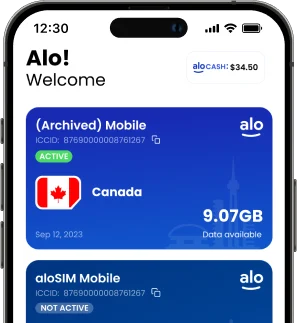
aloSIM’s prepaid model is ideal for helping keep your data use in check. With the aloSIM app, you can always see how much data you have purchased and used, which encourages smarter usage habits and reduces any surprise overages.
eSIM hygiene: Simple rules that prevent headaches
Install from trusted sources
Only download eSIMs from:
- Your official provider’s website
- A verified app
- A direct purchase dashboard
Never scan a random QR code that’s posted on social media or in an online forum.
Label your lines clearly
Stay organized by naming your individual SIM lines. Differentiate between:
- Home
- Travel Data (or your destination)
This will prevent you from accidentally using the wrong SIM line for data roaming (and getting hit with roaming charges as a result).
Set the correct data line
Before takeoff:
- Confirm your travel eSIM is set for mobile data
- Keep your primary line for any necessary calls
- Switch off data roaming from your primary SIM
Keep setup instructions handy
Take a screenshot of the steps for installation so that you won’t be scrambling without connectivity if you need to troubleshoot anything while travelling.
Quick troubleshooting checklist
If you’re having any issues with your data, follow this checklist:
- Confirm you’ve selected the correct line
- Toggle airplane mode on and off
- Restart your device
- Double check your APN settings.
Most of the time connectivity issues are basic configuration mistakes.
Why aloSIM fits a safer travel setup
Having a secure communications setup is about more than just encryption. It’s about reducing risk by reducing exposure. The more you’re on unsecured public Wi-Fi, the greater the chance you’ll encounter an issue.
aloSIM prepaid data supports a safe pattern:
- Default to a secure mobile connection
- Avoid accessing suspicious public networks
- Hotspot capabilities
- Control over data spending budget
Carrying your own connection with you instead of bouncing between random Wi-Fi networks eliminates a noteworthy portion of travel cyber risk.
If you think you’re compromised
Don’t panic. If you act quickly, you can significantly limit any potential damage.
- Change passwords immediately, starting with your email
- Revoke any active sessions in account settings
- Enable your two-factor authentication
- Contact your bank and flag suspicious charges
- Use a remote wipe if your device is lost or stolen
The first hour is critical to limit damage so be swift and deceive as you go through the checklist.
Always keep in mind that mobile security is more about consistency than anything else. With a security stack of a VPN, an aloSIM eSIM, and a plan to hotspot, you can travel with confidence knowing that you’ve handled the basics the right way.