
If you’re cruising in 2025, you probably want two things from your internet: it has to work, and it can’t wreck your budget. Ship Wi-Fi is easy to buy but often pricey, while travel eSIMs like aloSIM are much cheaper on land but don’t work everywhere at sea.
In this guide, we’ll compare cellular data at sea eSIM options with ship Wi-Fi and old-school roaming, using real aloSIM pricing and simple examples. By the end, you’ll know exactly when to use each option so you can stay online without worrying about surprise bills.
At-sea internet in 2025: What travellers need to know
On land, your phone talks to cell towers. However, once your ship leaves the coast, things change. Out at sea, the ship connects to the internet by satellite and then shares that connection with everyone on board over Wi-Fi. Because thousands of people are sharing the same satellite link, speeds can go up and down depending on how many people are online and what they’re doing.
At the same time, our data needs keep growing. We want to upload photos, stream videos, chat on WhatsApp, join work calls, and back up everything to the cloud. So staying connected on a cruise has turned into a small strategy game.
In simple terms, this is what you’re dealing with in 2025:
- In port or close to shore, a travel eSIM like aloSIM can give you fast and cheap 4G/5G data on local networks.
- Far offshore, only ship Wi-Fi or special (and very expensive) roaming networks can reach the ship.
That’s why the smartest approach is to use an eSIM whenever you’re near land, then switch to ship Wi-Fi—or just enjoy a digital detox—when the ship is in the middle of the ocean.

Connectivity options at sea: eSIM, ship Wi-Fi, and roaming
Let’s walk through the three main ways to get online during a cruise and how they fit together.
Ship Wi-Fi
Ship Wi-Fi is the option sold directly by your cruise line. It works almost everywhere, even in the deep ocean, because the ship connects by satellite. You normally pay per day or for the full cruise, and prices often sit around $15–$30 per day depending on how fast and how “unlimited” the plan is. It’s convenient, but it’s not cheap.
Travel eSIM
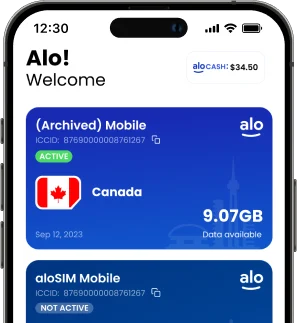
An eSIM is a digital SIM card you install on your phone. With aloSIM, you buy a prepaid data package for a specific region — for example, you can get a Europe eSIM, a Caribbean eSIM, or even a global eSIM package.
- Europe eSIM plans can start at around $5 for 1 GB, with bigger bundles like 10 GB for $37 that last 30 days.
- Caribbean plans start from about $6.50 for smaller packages.
- Global data starts at around $10, which is handy if your trip crosses regions.
You only pay for the data you choose, and because everything is prepaid, there are no surprise roaming charges.
Traditional roaming / “cellular at sea”
If you leave roaming turned on, your phone might connect to a special network called something like “Cellular at Sea.” This looks like a normal mobile connection, but it’s actually routed over satellite and it can be extremely expensive—sometimes several dollars per megabyte. That means even a small amount of data can turn into a huge bill.
So, to keep things simple, you can think of it like this:
- aloSIM eSIM → Best for ports and coastal areas (cheap and fast).
- Ship Wi-Fi → Best for sea days when there’s no land signal.
- Roaming at sea → Best avoided unless you’re dealing with an emergency.
How ship Wi-Fi works (and why it’s expensive)
Ship Wi-Fi starts with a satellite link. The ship connects to satellites above, and then the signal is shared around the vessel through Wi-Fi access points. Newer setups are getting faster, but the basic problem remains: there is only so much bandwidth to go around.
Because of this, cruise lines usually:
- Charge per day or per cruise, often between $15 and $30 per day.
- Offer different tiers, such as “basic browsing” and “browse + stream.”
- Limit the number of devices, or charge extra if you want to connect more than one.
The good news is that ship Wi-Fi works in the middle of the ocean. The not-so-good news is that the cost per GB is much higher than what you’d pay with a travel eSIM on land, and speeds can feel crowded when everyone is online at the same time.
Using cellular data at sea with eSIM and roaming
Now let’s look at the eSIM side of things. A cellular data at sea eSIM like aloSIM is designed for land networks, not satellites. It connects your phone to local mobile networks whenever you’re in range of cell towers.
For example:
- In Europe, aloSIM offers regional plans starting from about $5 for 1 GB, and larger options like 10 GB for $37 that last 30 days.
- In the Caribbean, you can grab smaller plans from around $6.50, which is great for shorter port visits.
- With global plans starting around $10, you can also cover more complex itineraries.
As long as your ship is in port or close enough to shore, you can enjoy fast and affordable 4G/5G data through your eSIM. However, once the ship sails further out and loses sight of land-based towers, the eSIM simply loses signal and stops working — just like a normal SIM card would.
This is why aloSIM recommends a simple strategy:
- Use aloSIM data on land and when the ship is near the coast.
- Turn roaming off on your primary SIM, so you don’t accidentally connect to a “Cellular at Sea” network.
- Use ship Wi-Fi only when you really need internet in the middle of the ocean.
That way, you keep your costs under control and still stay connected when it matters.
Cost comparison: eSIM vs ship Wi-Fi vs roaming
To see how these options stack up, it helps to look at rough cost-per-GB numbers over a typical 7-day cruise.
| Cost-per-GB Table (7-Day Cruise) | |||
| Option | Example Package | Approx Data Used | Notes |
| aloSIM regional eSIM | Europe 10 GB / 30 days – $36 | 8–10 GB | Use mainly in port and near shore |
| aloSIM eSIM | More than 200 countries’ data starting from $4.00 | 2–3 GB | Flexible for multi-region trips |
| Ship Wi-Fi – full access | $20/day × 7 days = $140 | 6–8 GB | Works mid-ocean, shared bandwidth |
| Roaming day passes | $30/day × 5 days = $150 for 500 MB/day | 2.5 GB | Still capped and often slower |
| Pay-per-MB cruise roaming | Several dollars per MB (“Cellular at Sea”) | 1 GB | Only for emergencies |
Speed & reliability: Real-world behaviour
So what does it actually feel like to use each option?
- With aloSIM in port, you’re using local 4G or 5G networks. That means smooth browsing, quick uploads, and comfortable video calls — very similar to what you’d expect at home.
- With ship Wi-Fi at sea, things are more mixed. On newer ships, you can often browse and message without issues, but video calls and streaming can stutter during busy times. Sometimes it’s fine; other times it feels like peak-hour internet from ten years ago.
- With roaming at sea, the experience can feel similar to ship Wi-Fi, but the price is far higher, so it rarely makes sense unless you literally have no other choice.
Because of that, a simple rule of thumb works well:
- Use aloSIM eSIM whenever there’s a port nearby.
- Use ship Wi-Fi only when you really need to be online in the middle of the ocean.
- Keep roaming off so your phone can’t accidentally pick the most expensive option.
Best option for different cruise travellers
Different travellers need different setups, so let’s match options to travel styles.
If you’re mainly posting photos, stories, and chatting with friends, a regional aloSIM eSIM for your cruise area is usually enough. You stay online in every port for just a few dollars and can happily go offline on sea days, or you can buy a single day of Wi-Fi if you really want to catch up mid-cruise.
If you’re working remotely, it makes sense to combine a larger aloSIM bundle (like 10 GB in Europe) with a full-cruise Wi-Fi package. That way, you can push heavy tasks like uploads and video calls to port days, but you still have a backup connection on sea days for urgent emails and messages.
If you’re travelling as a family, one decent ship Wi-Fi plan plus aloSIM eSIMs on the adults’ phones often works well. Parents use the eSIMs for navigation, bookings, and quick checks in port, while kids can use the ship Wi-Fi in the evenings or on longer sea days.
Finally, if you just want a break, you can go minimal. Install a small aloSIM plan for maps and tickets in port, turn everything off at sea, and treat the time away from shore as a genuine digital holiday.
Practical tips to stay connected at sea
To make your data go further and keep things stress-free, it helps to tweak a few settings before you sail.
First, turn data roaming off on your main SIM so your phone can’t quietly connect to expensive maritime networks in the background. Then, install your aloSIM eSIM and set it as the data line you use in port.
Next, download offline maps and any important documents (like tickets and hotel confirmations) before you leave home. While you’re at it, disable automatic updates and cloud backups so big downloads don’t start without your permission.
Finally, when you do join ship Wi-Fi, it can be smart to use a trusted VPN and to stick to secure (HTTPS) sites, especially for email, banking, and work logins. This way, you keep your browsing both affordable and safe, whether you’re in port on eSIM data or mid-ocean on the ship’s network.
FAQ: Cellular data at sea & eSIMs
Will my eSIM work when the ship is far from shore?
A standard travel eSIM like aloSIM uses land-based mobile networks, so it works wonderfully in port and along the coast. However, once your ship sails far from cell towers, the signal disappears and your eSIM stops passing data. At that point, you’ll need ship Wi-Fi or you’ll need to stay offline until you’re closer to land again.
Is ship Wi-Fi fast enough for video calls?
Sometimes, yes—but not always. On newer ships and during quiet times of day, ship Wi-Fi can handle short video calls. However, when everyone on board is online, calls can freeze or drop. Because of that, it’s usually best to schedule important calls for port days and use your eSIM whenever possible.
Can I mix an eSIM with the cruise line’s Wi-Fi package?
Absolutely. In fact, this is often the best setup. You can use aloSIM data for fast and cheap internet in every port, then rely on a ship Wi-Fi package for essential tasks on sea days. Your phone can easily handle both: eSIM for mobile data on land, and Wi-Fi for the ship. It just takes a quick tap to switch.
How do I avoid unexpected roaming at sea?
Before you board, turn off data roaming on your main SIM or put it in airplane mode. Then, use your aloSIM eSIM for prepaid data in port and connect to the ship’s Wi-Fi when you’re at sea. If you ever see a network name like “Cellular at Sea,” don’t enable roaming unless you’ve checked the exact price with your carrier — those rates can be extremely high.