
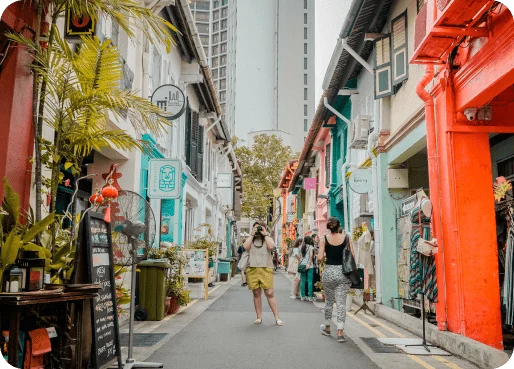
6684b63075238-lily-banse-9eH2QtfQAjI-unsplash

Netzwerk

StarHub

Geschwindigkeit

LTE/5G

Unlimited data

Holen Sie sich eine 🇸🇬 Singapore eSIM

USD

Herunterladbare Singapore SIM-Karte mit Prepaid-Daten

1Gb

Gültig für 7 Tage

$

2Gb

Gültig für 15 Tage

$

🔥 Am Beliebtesten

3Gb

Gültig für 30 Tage

$

5Gb

Gültig für 30 Tage

$

10Gb

Gültig für 30 Tage

$

🎁 Preiswert

20Gb

Gültig für 30 Tage

$

🚀 Unbegrenzt

Unlimited* Gb

Gültig für 10 Tage

$

Kaufe jetzt
  • Prepaid-Daten schon ab $4.50
  • Beinhaltet eine kostenlose internationale Telefonnummer. Erfahren Sie mehr.
  • Keine Überraschungsgebühren oder Roaming-Gebühren
  • Besuchen Sie Singapore bald? Sparen Sie Geld mit einer Singapore eSIM (herunterladbare SIM-Karte) mit lokalen Daten schon ab $4.50 pro Woche.
  • Erhalten Sie günstige Daten: Installieren Sie eine Singapore eSIM auf Ihrem Telefon und aktivieren Sie Ihr Datenpaket, um überall in Singapore, eine stabile Internetverbindung zu genießen, ohne WLAN zu benötigen..
  • Zahlen Sie niemals Roaming-Gebühren: Vermeiden Sie Roaming-Gebühren Ihres Mobilfunkanbieters, indem Sie das Datenroaming für Ihre primäre SIM-Karte oder ganz ausschalten. Brauchen Sie Hilfe? Wir sind rund um die Uhr erreichbar.

Überprüfen Sie die Telefonkompatibilität

  • Unterstützte Netzwerke: StarHub
  • Erwartete Geschwindigkeiten: LTE/5G
  • Einschränkungen: Fully unthrottled dataUnlimited data
  • Datenaufladung möglich: Ja
  • Hotspot / Tethering: Yes
  • Ausweis/Dokumentation erforderlich: Nein
  • Telefonnummer: Im Kauf enthalten

How does our Singapore eSIM work?

An eSIM is an embedded SIM card, and you probably already have an eSIM-compatible device. When you install an eSIM for a country or region, it lets your device connect to local networks in that area. This means your device will have data without needing Wi-Fi or paying roaming charges.

singapore-esim-why-esim-514x-369 1

How much travel data do I need with my Singapore eSIM?

When you’re in Singapore, it’s handy to have reliable mobile data so you can always stay connected, without needing to worry about finding Wi-Fi. Prepaid eSIM data is perfect for maps, driving directions, and more.

Not sure how much data you’ll need? There’s no pressure! You can always start with a basic 1 GB data package and add more if it’s needed.

We also have a travel data calculator to help you estimate how much data you’ll need for your trip.

singapore-esim-why-esim-514x-369 2

Will I pay roaming charges with a prepaid eSIM for Singapore?

You won’t pay a penny in roaming charges!

Install your Singapore eSIM while you have a strong internet connection (either at home, or while already travelling), and then activate your prepaid Singapore data package when you’re ready to use it.

To avoid roaming charges on your primary SIM, please make sure you’ve turned off Data Roaming on your primary SIM to prevent your home carrier from adding roaming charges to your next bill.

FAQs about using a Singapore eSIM

Check my device

Most newer phones, tablets, and computers are already eSIM-compatible, so use our eSIM device checker to make sure you have a device that can accept an eSIM.

Free Wi-Fi is great when it’s available, safe, and working well, but some destinations make it just about impossible to get a good connection. That’s why it’s nice to have data as a backup to stay connected.

We’re proud to provide aloSIM customers with fast eSIM data connections that allow them to talk, text, surf, and stream comfortably. You’ll likely experience a 4G (sometimes 5G) or LTE equivalent network in most locations, depending on what’s available in the area.

Installation guides

We have detailed eSIM installation instructions for all compatible devices, so whether you’re looking to add eSIM data to an iPhone or iPad, Google Pixel, Samsung Galaxy, or something else, we’ll be able to walk you through the eSIM set-up process easily.

How to avoid roaming charges

It can be confusing to know the best roaming settings for your phone while you travel internationally, so we’ve created an easy walk-through guide to show you exactly how your phone’s roaming settings should look.

Laden Sie die aloSIM-App herunter

Sie erhalten aloSIM bei Google Play und im App Store oder durch Scannen des QR-Codes.

683f2b95bc651-Destinations banner QR code